Pre-registration open
TRIPX Navigation Pod
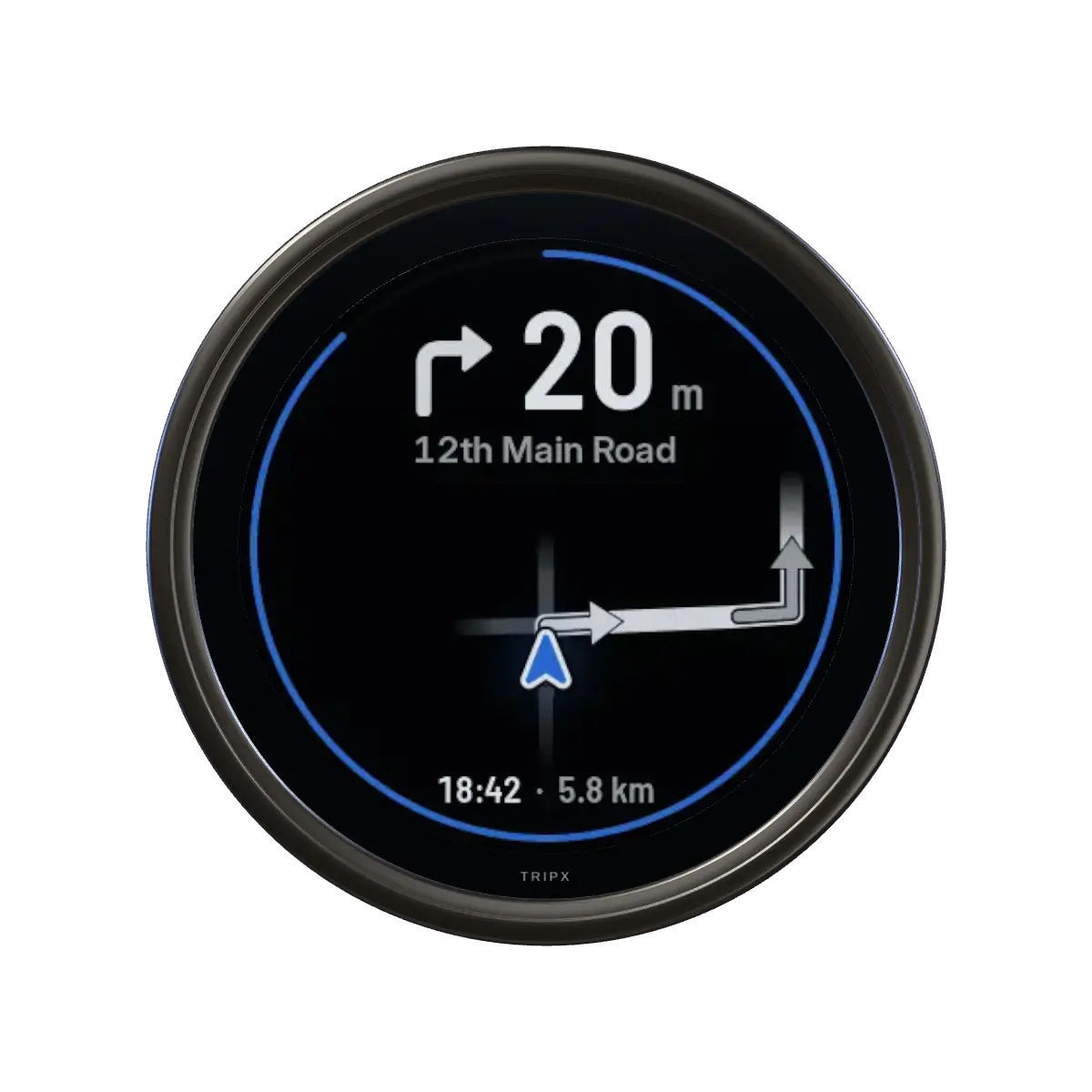
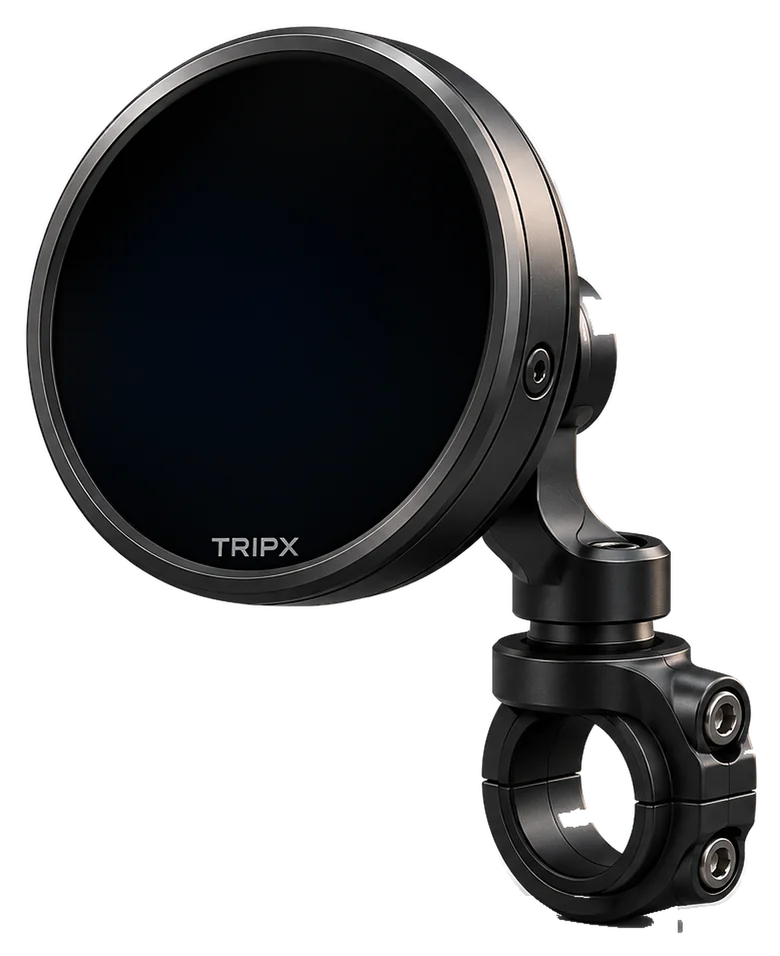
Front · Route screen
Photo: “Royal Enfield Hunter 350” by Pintu dasaundhi, CC BY-SA 4.0, retouched; TRIPX added as a render. Not affiliated with Royal Enfield.

A round navigation display for your motorcycle handlebar. Plan the ride in the TRIPX app and put your phone away. TRIPX shows the next turn, how far it is, the road name and when you’ll arrive.
Price
To be announced
Final pricing will be announced closer to launch.
- Status
- Preparing for launch
- Purchasing
- Not open yet. Pre-registration only.
No payment, nothing reserved. Be first to know when TRIPX launches, with final pricing.
- Round colour screenMade to be read in a glance
- Connected to your phoneThe TRIPX app sends the next turn by Bluetooth
- Quarter-turn mountClamp it on the bar, twist the pod on and off
- RechargeableUSB-C charging
Prototype shown. The final design may change. The app launches on Android and iPhone together.
Navigation at a glance
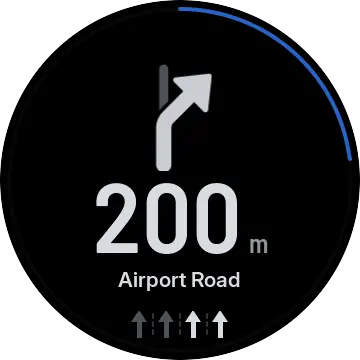
The next turn, drawn big.
Distance first, road name second, nothing third. The round screen sits beside your speedometer and is made to be read in a glance, then ignored.
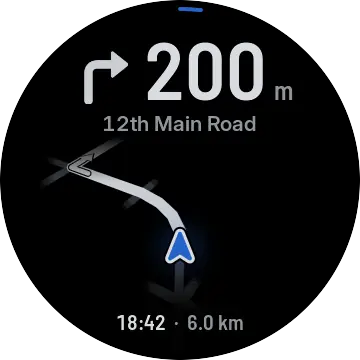 01 · Route
Your road and the junction ahead. The other streets shrink to short stubs, so the turn that’s yours is obvious.
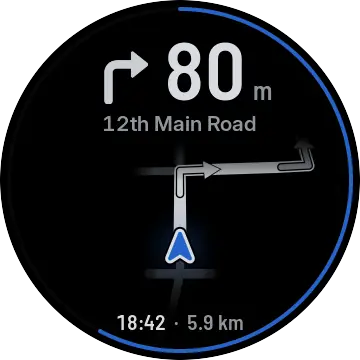 02 · Approaching
Distance big at the top. The blue ring closes as the turn gets nearer.
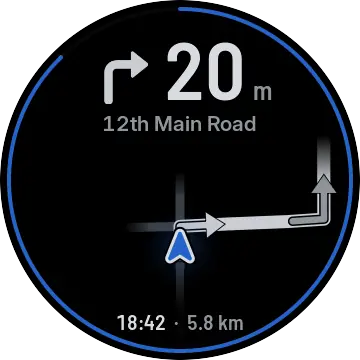 03 · Turn
The same arrow the app uses, drawn on the road you’re about to take.
Real screens from the TRIPX software. They may change before launch.
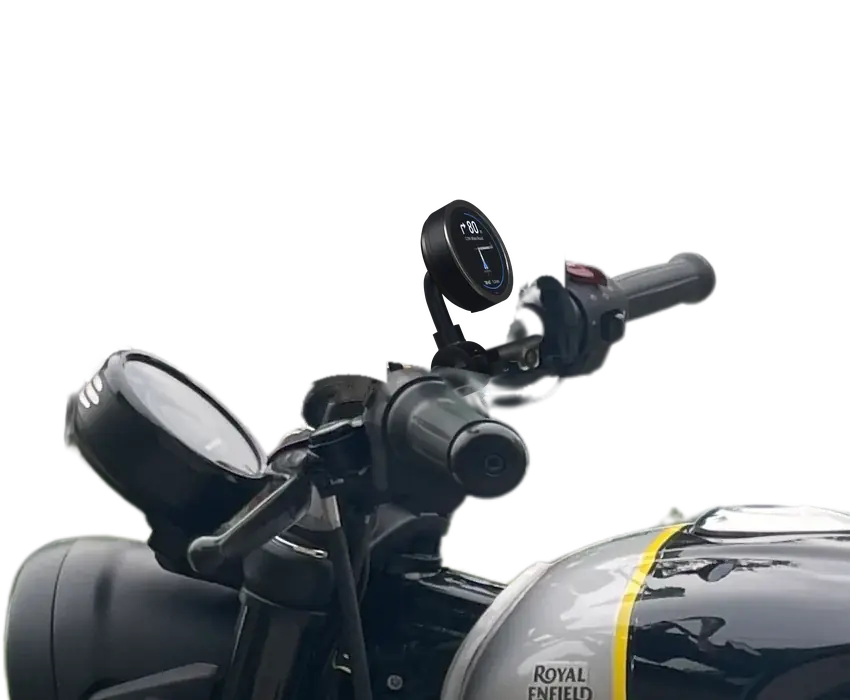
Designed for your ride
Clamp it once. Click it on.
Small enough to sit in the cockpit without crowding it, and it rides where your eyes already go.
- 01
The clamp
Goes around the handlebar, with a liner between the clamp and the bar.
- 02
Line it up
Marks on the mount show which way the pod goes on.
- 03
A quarter-turn
Turn it until it clicks. Turn it back to take it with you when you park.
-
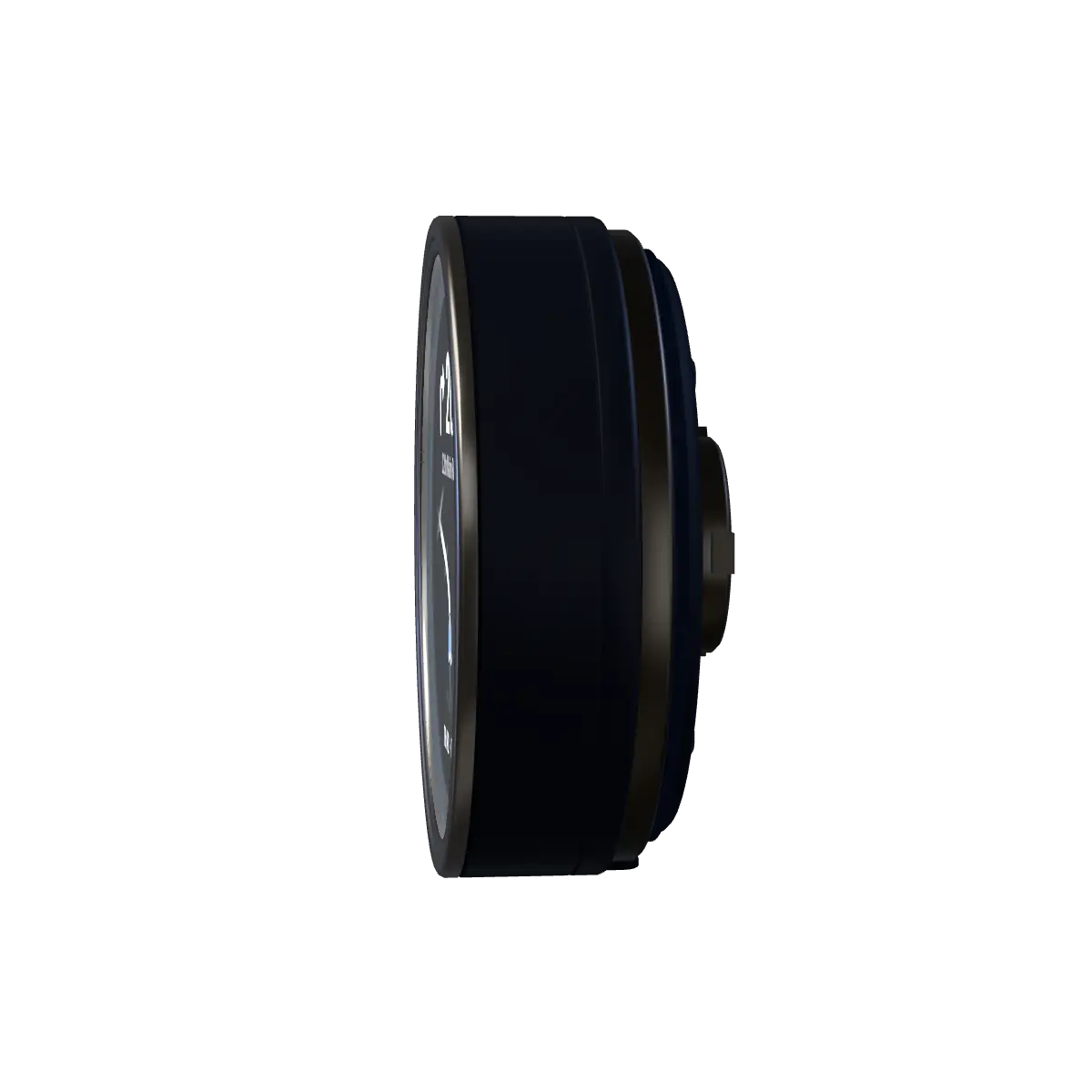
SlimA thin rim and glass that runs almost to the edge, so the screen fills the face. -
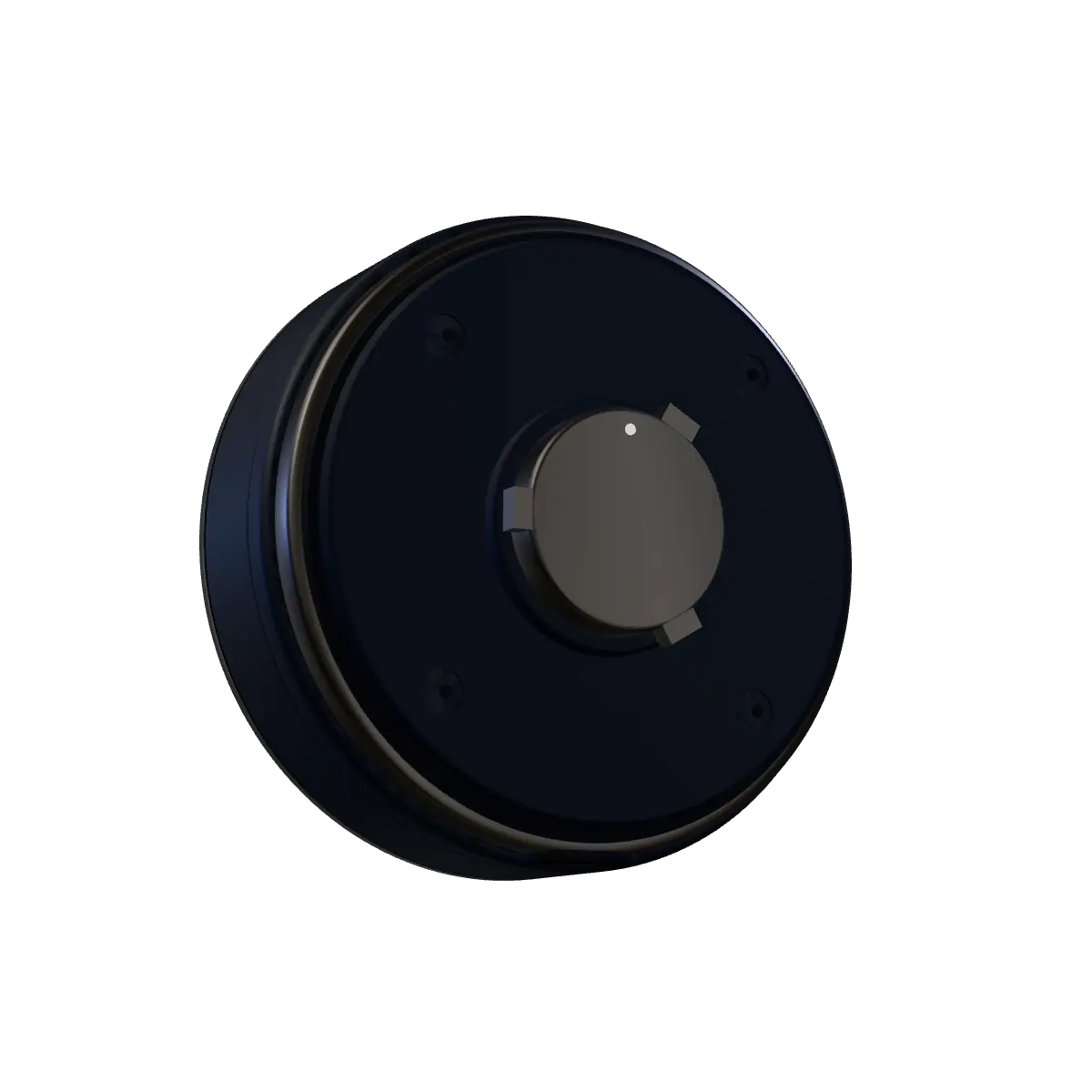
One twistThe centre of the back locks onto the mount. -
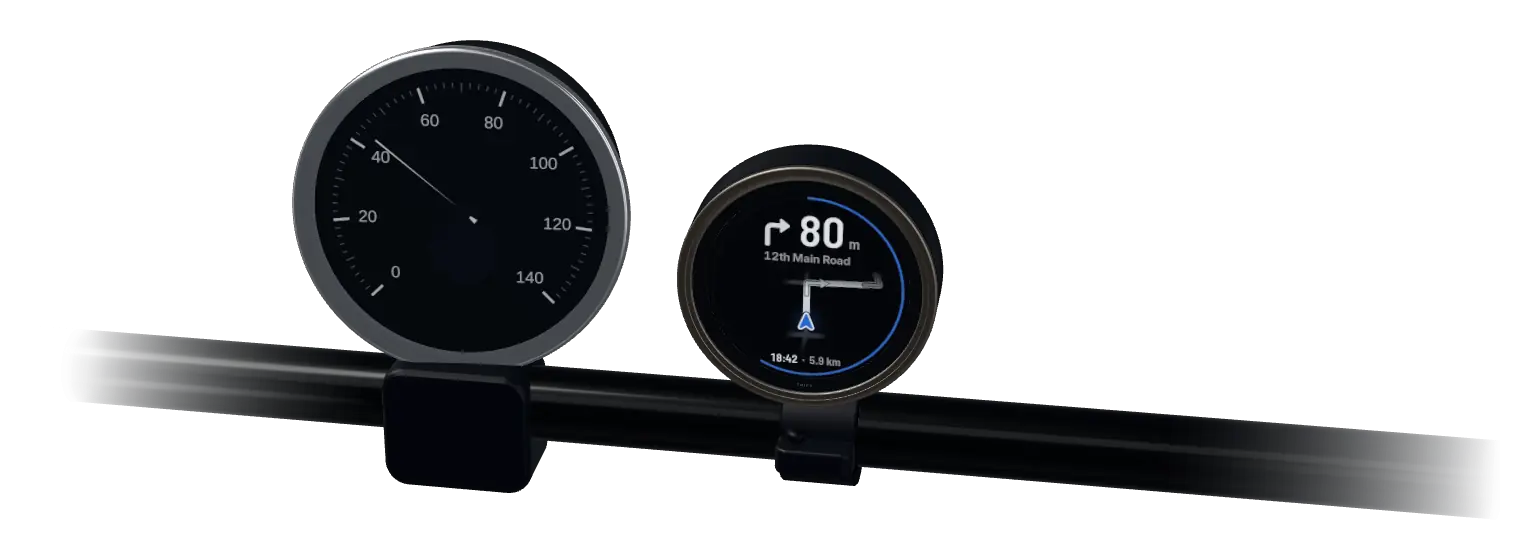
The rider’s viewBeside the speedometer, inside your line of sight. Illustration; the exact position on the bike is being finalised.
Connected experience
Your phone navigates. TRIPX shows the way.
Search, routing and voice run in the TRIPX app. The pod gets only what you need at a glance.
-
01 · Your phone
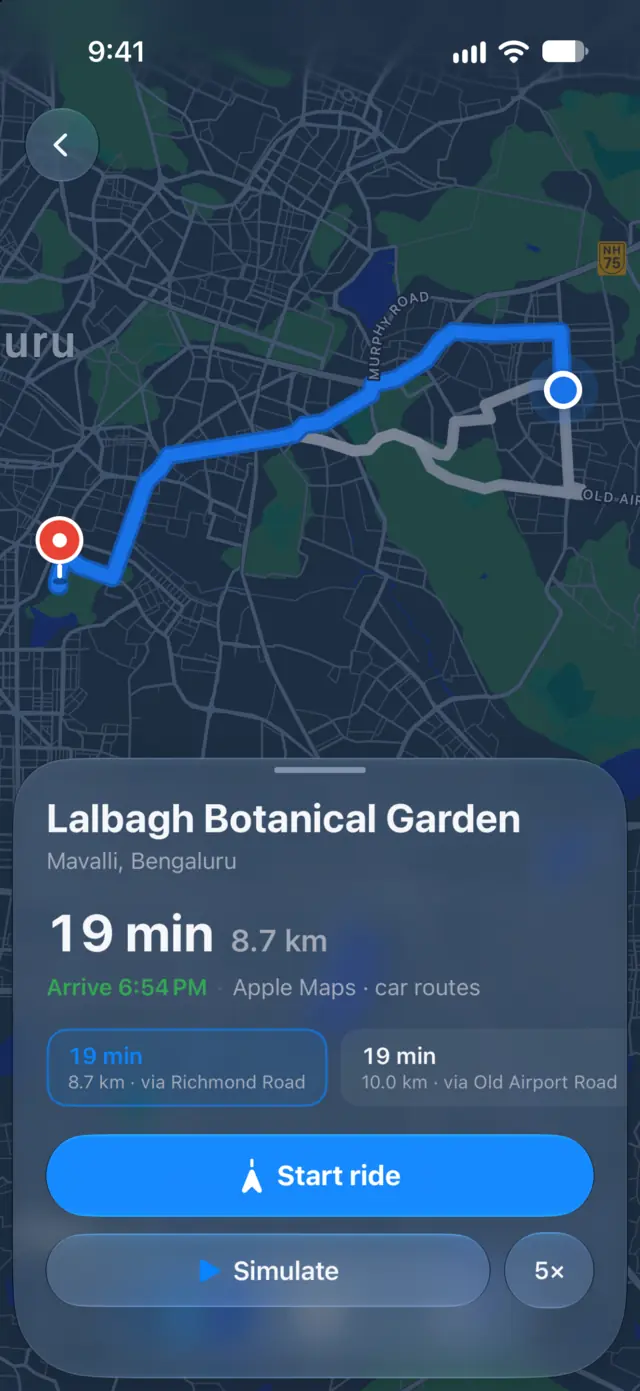
Plan the ride
Search for a place, compare routes and tap Start in the TRIPX app.
-
02 · Bluetooth
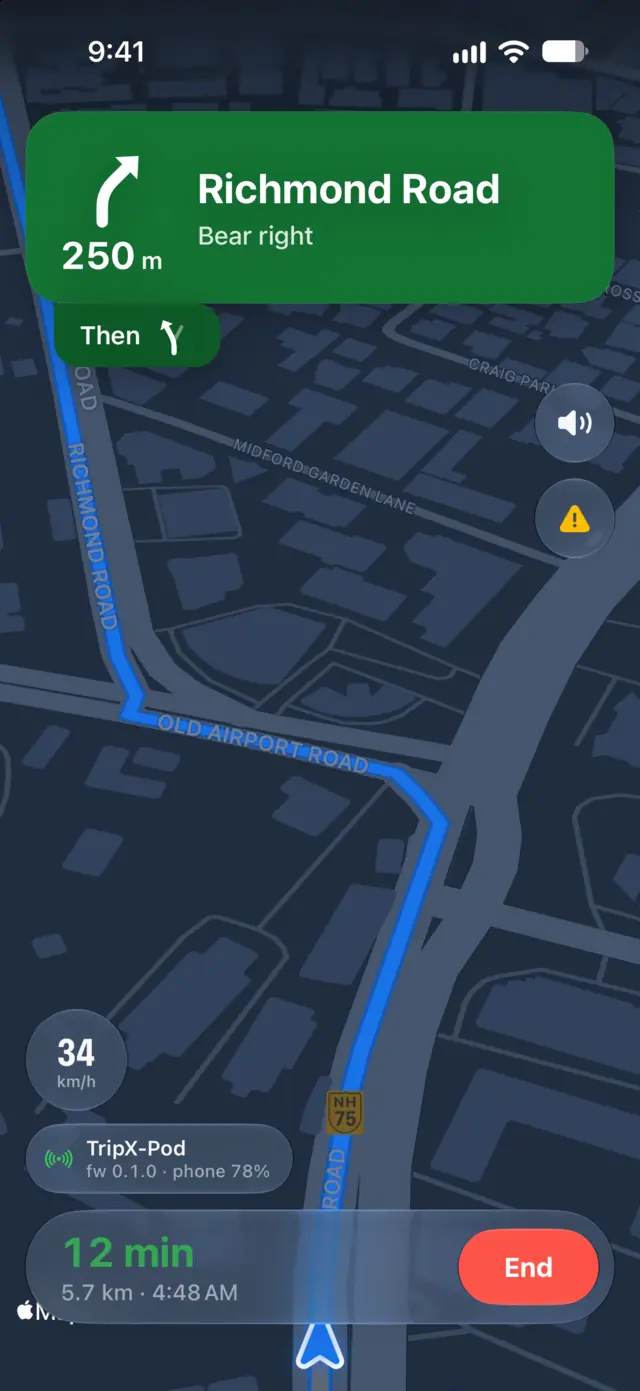
The next turn, sent
Your phone sends the turn, how far away it is and when you’ll arrive, kept up to date as you ride.
-
03 · TRIPX
Lock the phone. Keep riding.
TRIPX keeps showing the map, the turns and your arrival time with the phone in your pocket.
The app launches on Android and iPhone together. Guidance with the phone locked is how TRIPX is built, and it’s being proven on test rides before launch.
Built around the display
Every screen, drawn for a circle.
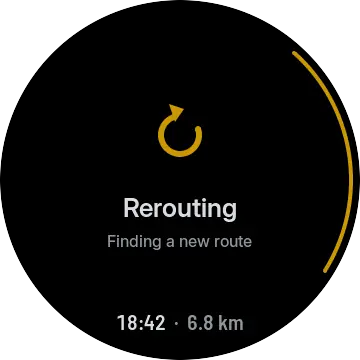
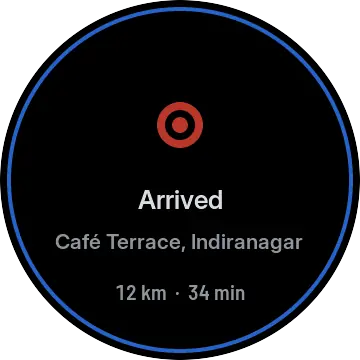
Each screen is drawn on the pod from what your phone sends. One look for day, one for night. Some of these are still being built.
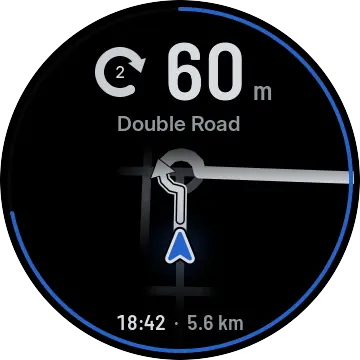 Roundabouts
 Lanes
Lanes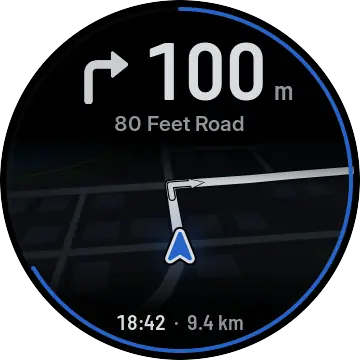 Full map
 Rerouting
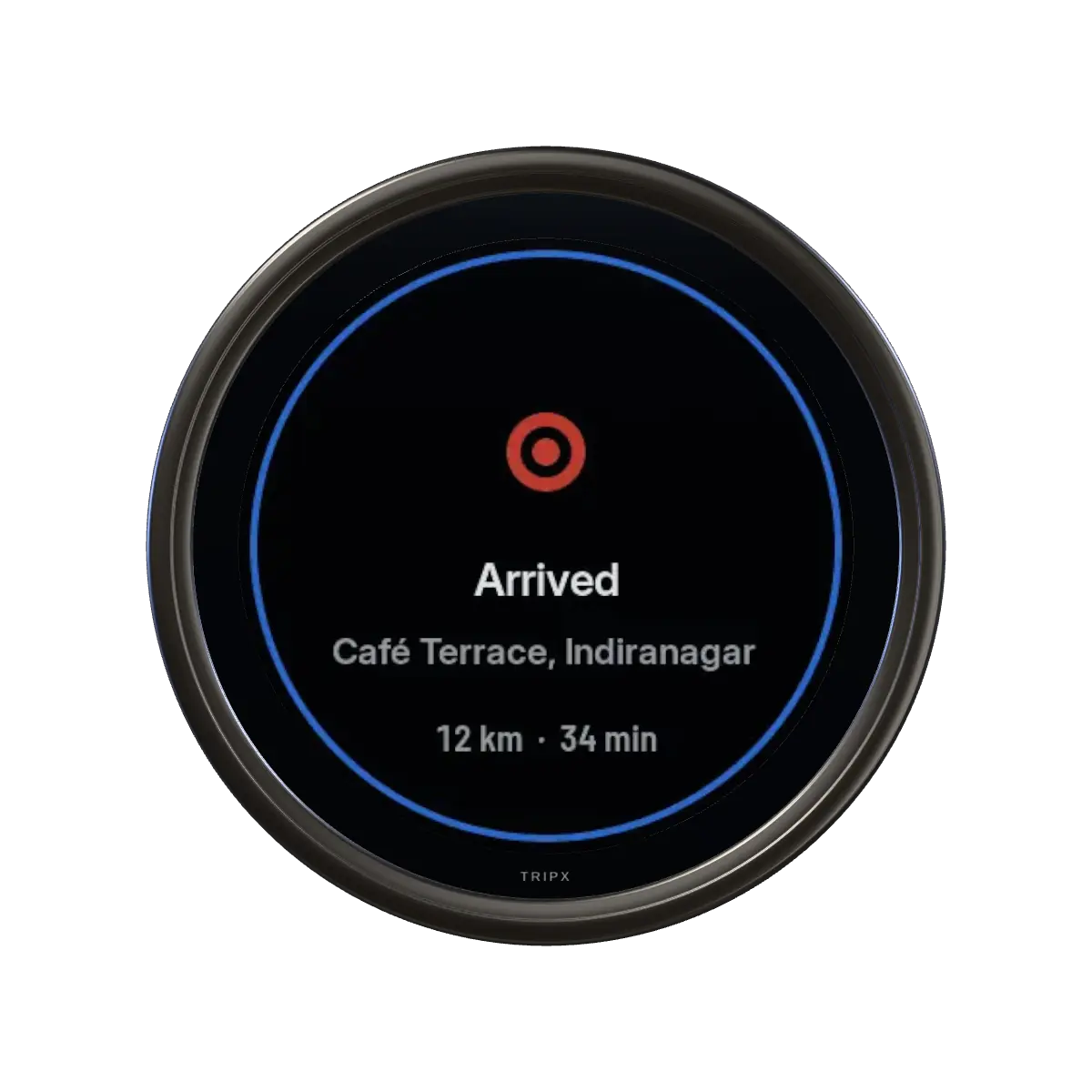
 Arrived
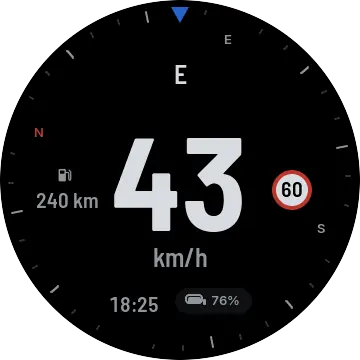 Cruise
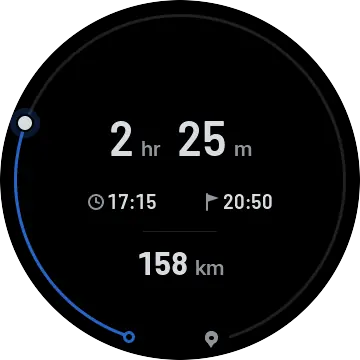 Journey
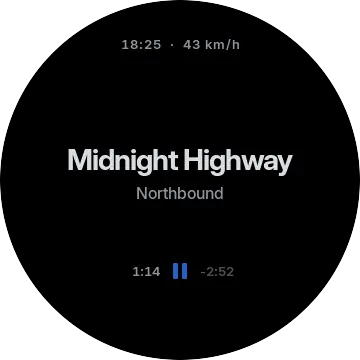 Now playing
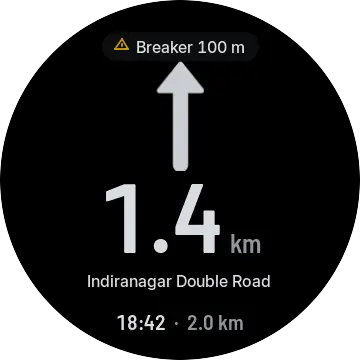 Hazards
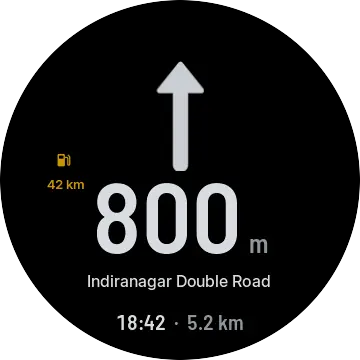 Low fuel
Real screens from the TRIPX software. They may change before launch.
Inside
Eight parts, each with one job.
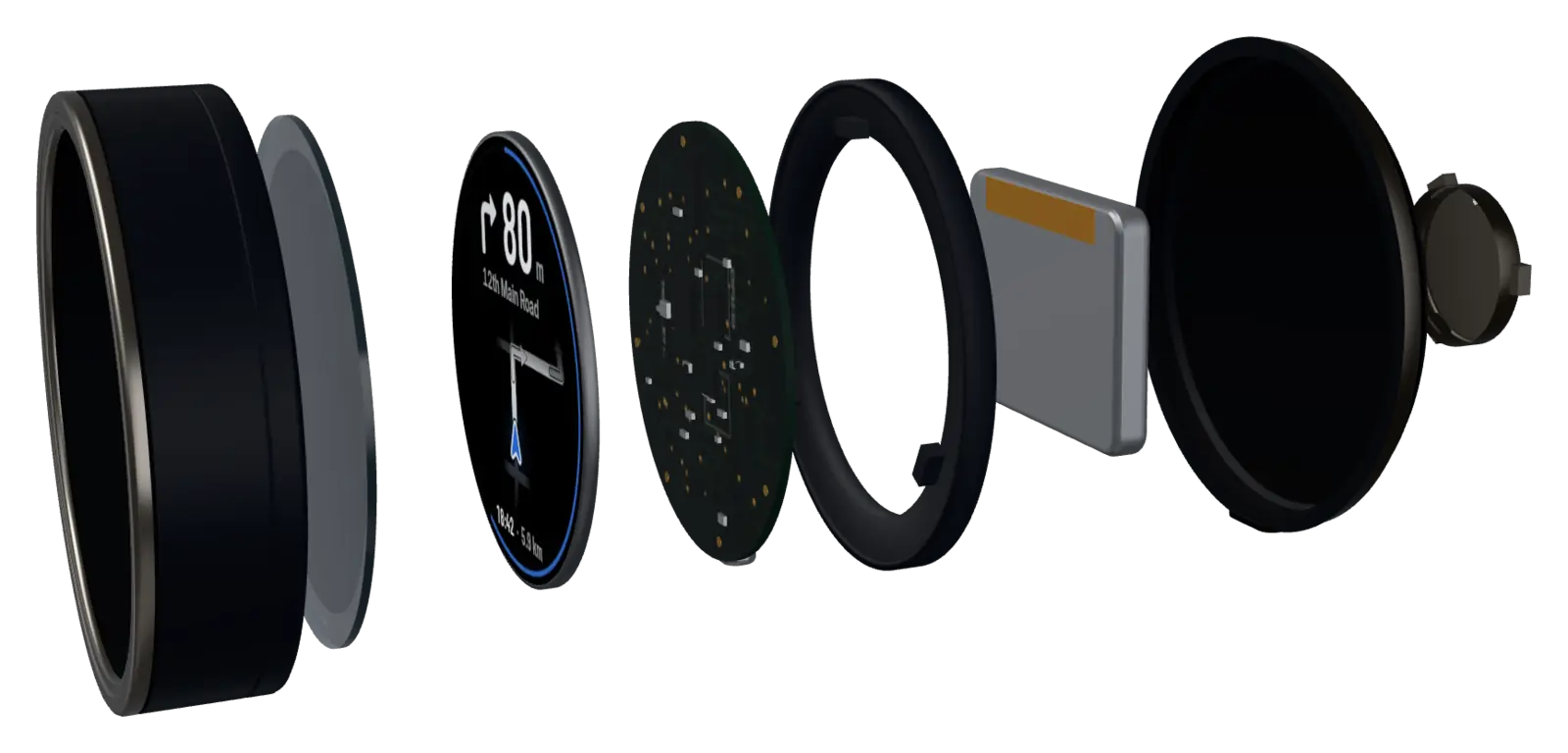
- 01
Front shell
One piece, with a thin rim around the glass.
- 02
Cover glass
Glass over the screen.
- 03
Screen
Round and in colour, made to be read in a glance.
- 04
Brains
Talks to your phone and draws every screen on the pod.
- 05
Frame
Holds everything in place behind the screen.
- 06
Battery
Rechargeable, with a USB-C port for charging.
- 07
Back
Closes the pod and carries the charging port.
- 08
Mount
Twists onto the mount and clicks into place.
This is the current prototype. Parts may change before launch.
Product details
What it is, and what we’ll tell you later.
Screen
- Shape
- Round, in colour
- Shows
- The next turn, how far it is, the road name and when you’ll arrive
- Looks
- One for day, one for night
Your phone
- Connects by
- Bluetooth
- Navigation
- In the TRIPX app, on your phone
- Phone locked
- TRIPX keeps guiding you
- Phones
- Android and iPhone
On the bike
- Mount
- Clamp on the handlebar, twist the pod on
- Take it with you
- Twist it off when you park
- Charging
- Rechargeable, USB-C
- Updates
- From the app
Coming when it’s tested
Size, weight, battery life, rain and brightness. We’ll share them once they’re measured on the final product, not before.
Preparing for launch
Be first to know when TRIPX launches.
Final details are coming soon. Pre-register and we’ll email you launch news and final pricing first.
Priceto be announcedAnnounced closer to release
Pre-register nowQuestions
Can I buy TRIPX now?
Not yet. TRIPX is preparing for launch and purchasing isn’t open. Pre-register to hear first when it is, with final pricing.
Do I pay anything to pre-register?
No. Pre-registering isn’t an order: nothing is charged and nothing is reserved. We’ll only email you about the TRIPX launch.
How much will it cost?
The price isn’t final. It will be announced closer to launch, and pre-registered riders hear it first.
When can I get one?
TRIPX is a working prototype and the hardware is in development. We don’t have a date yet. Pre-registered riders hear first when we do.
Which bikes does it fit?
We’re designing the mount to suit as many bikes as we can. Tell us your motorcycle when you pre-register so we can check it.
Is my data safe?
Pre-registration details are used only to tell you about the TRIPX launch. We never sell them, and you can ask us to delete them at any time. Read the privacy notice.